Midjourney is known for images with a strong, artistic look. The Midjourney AI video generator now let’s creators turn those images into short moving clips. Even fully extended, a clip ends at 21 seconds with no sound, and longer videos are stitched together in a separate editor. Midjourney’s own video controls come first in this review, including motion levels, end frames, and extensions. MagicLight AI is weighed against it for projects that need more length, narration, or a planned story.
Part 1. Midjourney AI Video Generator Features and Capabilities
Midjourney’s documentation pitches the feature as a way to “Turn your images into captivating 5 second videos.” Every clip opens on an existing image, and that starting frame sets the composition and style for the motion. A motion prompt is optional, and leaving it blank hands the choice of movement to Midjourney.
How Midjourney Video Works
AI video generator Midjourney includes Animate Auto and Animate Manual options. Auto starts the animation without changing the prompt. Manual opens the prompt field first, allowing you to describe camera movement, subject motion, or other changes before generation. For an uploaded image on the web, the Starting Frame field holds the picture that the clip opens on.
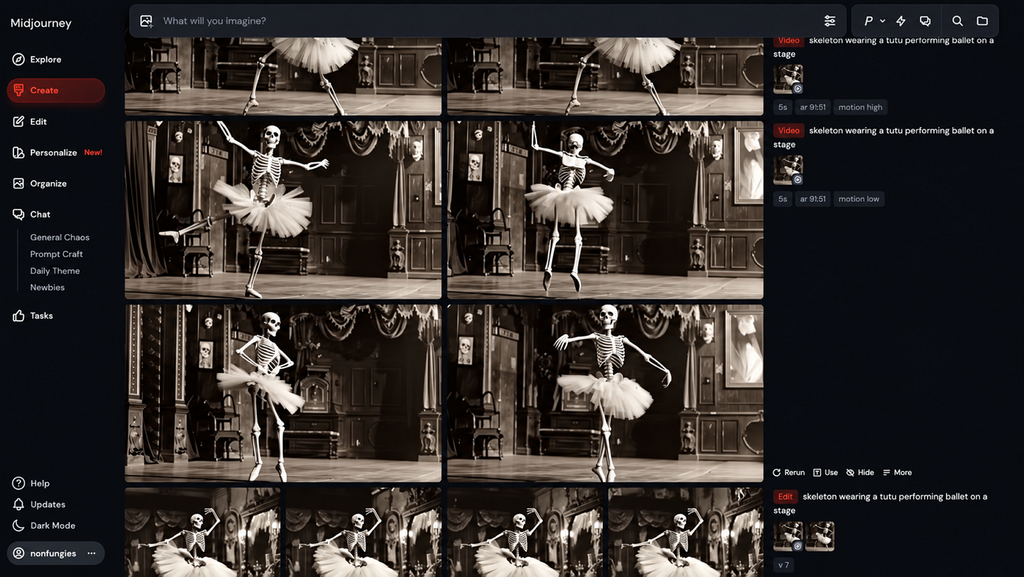
Discord works through text, with the image URL pasted into the prompt and the –video parameter added at the end. A text description is optional in both cases. Each first generation lasts 5 seconds; the Extend Auto and Extend Manual controls add 4 seconds at a time. You can also extend a clip 4 times, for a maximum length of 21 seconds. Discord provides similar Extend High Motion and Extend Low Motion controls.
Generation Options
Several settings control the result and the amount of GPU time used, and are mentioned below:
- Motion Level: –motion low is the default and favors subtle movement. –motion high allows larger camera and character movement but may produce more visual errors.
- Batch Size: A video prompt creates 4 versions by default. Adding –bs 1 or –bs 2 shrinks that batch, and fewer videos per prompt cost less GPU time.
- Loop and End Frame: For a background that repeats cleanly, –loop reuses the starting image as the final frame of the clip. Moreover, –end lets you provide a different image for the final frame, giving the clip a defined visual destination.
- Raw and Resolution: –raw reduces Midjourney’s added creative interpretation and gives the written motion prompt more influence. All plans support video in Fast Mode. HD video is available on Standard, Pro, and Mega plans in Fast Mode, while Relax Mode video is limited to SD on Pro and Mega.
Length, Resolution, and Audio
Every Midjourney AI video generation opens as a 5-second clip, and each extension will “add another 4 seconds,” per Midjourney’s docs. Manual Extend is the one to pick when the second half of a shot needs new directions, since Auto Extend reuses the original prompt. Clip length depends on how many times you extend a video, and resolution depends on the plan; details are mentioned in the table below:
| Setting | Detail |
| Starting length | 5 seconds |
| Extensions | Up to 4, adding 4 seconds each |
| Maximum length | 21 seconds |
| Standard resolution | 480p (SD) |
| HD resolution | 720p on Standard, Pro, and Mega plans |
| Audio | None, silent clips only |
| Aspect ratios | 5 options |
Supported Video Creation Needs
Each generation begins with a still image rather than a full script or shot list. A written motion prompt is optional, and an end frame can also guide where the movement finishes. Nothing in that setup plans a second scene or carries a story across shots. For short, mood-driven projects, the Midjourney AI video generation model fits these uses:
- Animated Artwork: A portfolio illustration picks up drifting hair or passing clouds, and –motion low keeps that movement gentle.
- Looping Visuals: With –loop, a clip ends where it began, ready to repeat behind a stream overlay or as an animated wallpaper.
- Mood and Concept Tests: Before a full production, a 5-second clip shows whether a scene’s lighting and camera feel actually work.
- Short Social Clips: A 21-second extended clip covers a Reel or a Short, though the soundtrack has to be added in another app.
- Motion Variations: Each prompt returns four takes of the same starting image by default, which is handy for picking the cleanest motion.
Part 2. Why Consider MagicLight as a Midjourney Alternative?
The case for a Midjourney video AI generator alternative rests on workflow more than on looks. Midjourney stops at a single animated shot, and MagicLight carries one idea through a full story with scenes, voices, and music. The look does not have to change either, because the Visual Style Model setting in MagicLight AI includes Midjourney-style presets for a whole project.
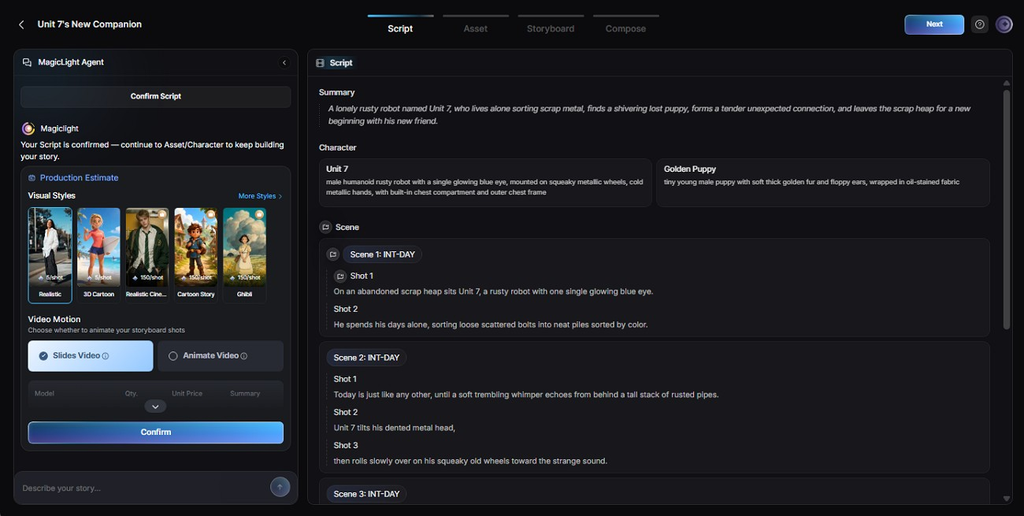
That preset holds one look across scenes, and the planning, voices, and music are what Midjourney leaves out. A project opens with a short written brief describing the idea. MagicLight Agent can turn that idea into a script and storyboard before creating scenes. Once the storyboard gets a sign-off, Story to Video builds each scene around the same saved cast. Narration, music, and subtitles stay in that project too, with no separate editor.
For longer projects, the Long Video Generator supports videos of up to 50 minutes on paid plans. Midjourney, by comparison, is better suited to short visual sequences, with a fully extended clip of up to 21 seconds. Some other aspects of MagicLight AI are mentioned below:
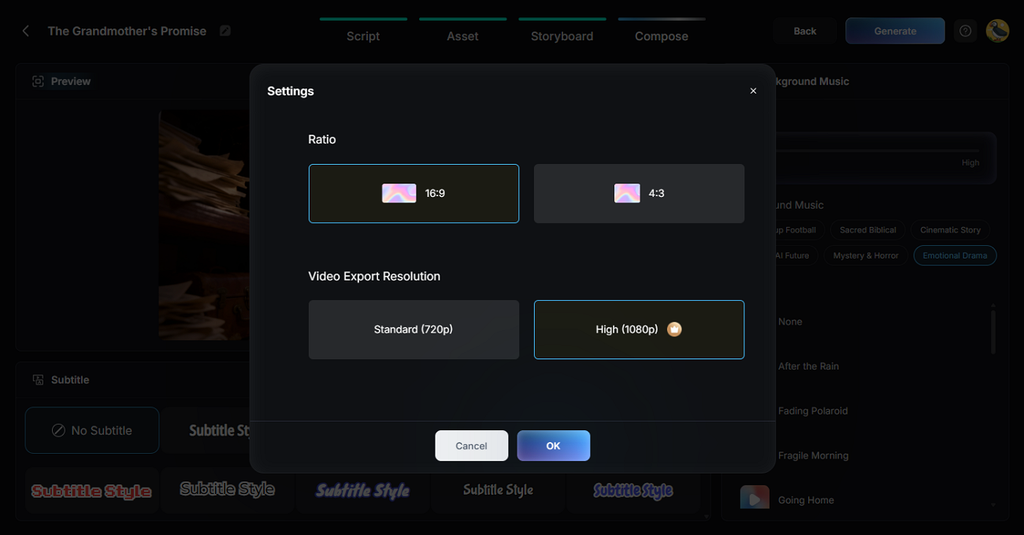
- Narration and Subtitles: Where Midjourney clips stay silent, MagicLight narrates in 11 languages with 37 stock voices or the creator’s own cloned voice, plus 16 subtitle styles.
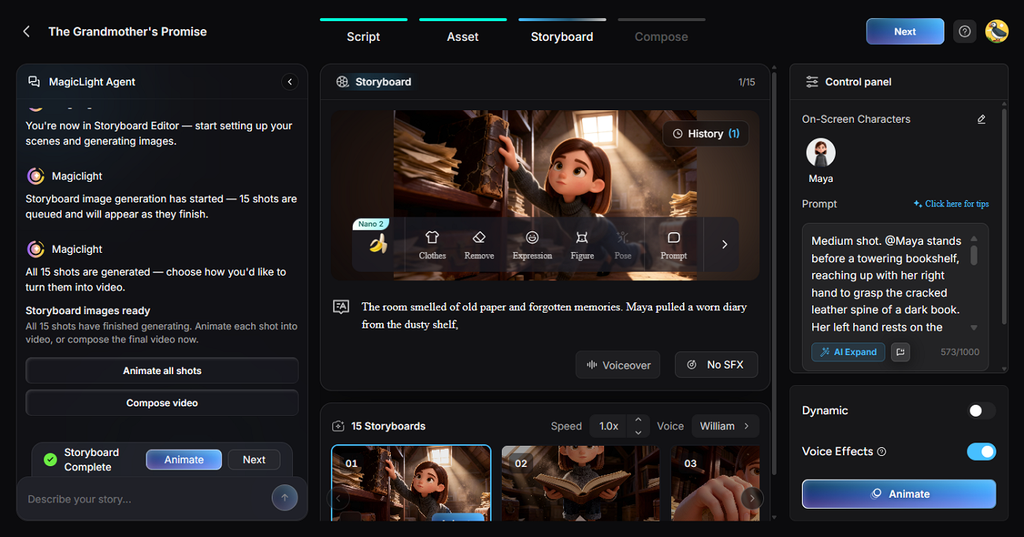
- Saved Characters: Define a character once, from text or a reference image, and have it appear unchanged across later scenes and projects.
- Export Settings: A finished video exports in 16:9 or 4:3 at 720p, and paid plans add 1080p, one step above Midjourney’s 720p HD.
- Image to Video: A favorite Midjourney still can run past Midjourney’s own 21-second ceiling, up to 30 seconds, with optional lip-synced dialogue.
- Reference Uploads: Midjourney renders of up to 20MB each can guide a new character or scene toward the same look.
- AI Video Models: Motion comes from a library of 20 video models, including Veo and Hailuo engines.
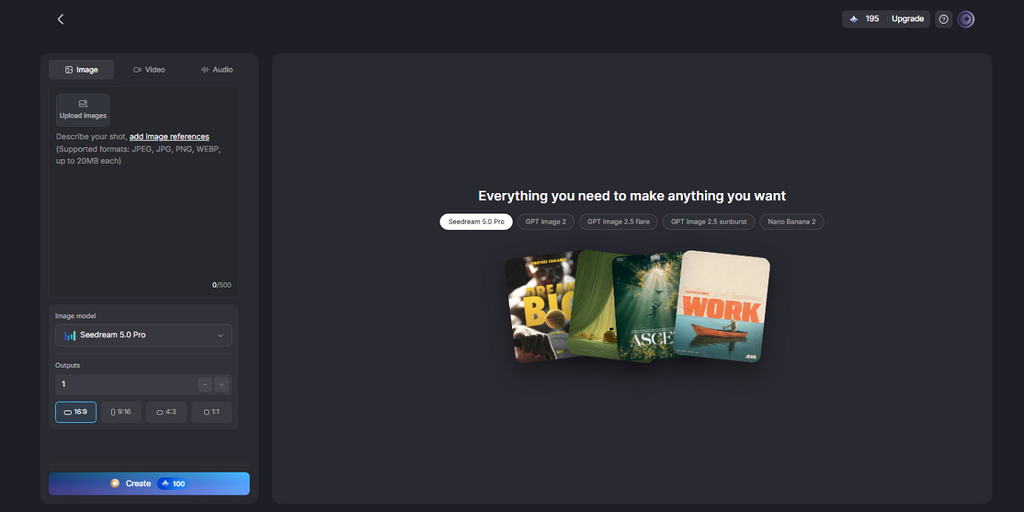
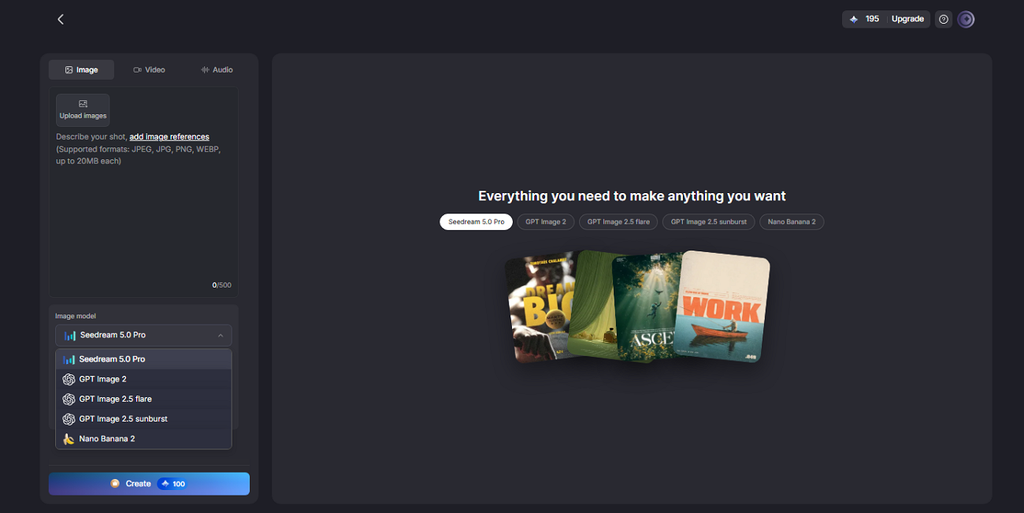
- Image Models: 5 image models, including Seedream 5.0 Pro, create key art before the video starts.
At this point, you might want to compare MagicLight AI with the Midjourney AI video generator. So, these workflow areas show where the 2 tools part ways:
| Area | Midjourney Video | MagicLight AI |
| Starting point | One image or upload | Idea or script via the Agent |
| Planning | None built in | Script, storyboard, budget plan |
| Length | Up to 21 seconds per clip | Up to 50 minutes on paid plans |
| Audio | None | Narration, music, subtitles |
| Style options | Midjourney model aesthetics | Midjourney styles plus MagicLight presets |
| Resolution | 480p SD, with 720p HD on Standard, Pro, and Mega plans | 720p, with 1080p on paid plans |
Conclusion
For a striking still that needs a few seconds of motion, the Midjourney AI video generator does the job in its own style. The 21-second ceiling and silent output start to matter once a project needs scenes, a voice, or a story arc. MagicLight AI handles that larger job with scripts, storyboards, recurring characters, narration, and music, and paid plans stretch one video to 50 minutes.
FAQs About Midjourney AI Video Generator
- Is the Midjourney AI video generator free?
Midjourney video generation requires a paid subscription and consumes GPU time. All paid plans support standard-definition video, while Standard, Pro, and Mega plans also offer 720p HD generation in Fast Mode.
- Is there a free Midjourney alternative for video?
MagicLight AI offers free credits without requiring a credit card, allowing users to test stylized video generation. Its free access has usage limits, while Midjourney’s official video generator requires a paid subscription.
- How does MagicLight compare with Midjourney?
Midjourney animates images into silent clips lasting up to 21 seconds through extensions. MagicLight AI focuses on longer storytelling, combining script planning, reusable characters, narration, music, and multi-scene video generation.
- Can MagicLight turn Midjourney images into a video?
Midjourney images work in MagicLight AI as starting frames or as character references. Image to Video animates one image into a moving or talking clip with a 30-second limit. An uploaded image can also define a saved character for longer Story to Video projects.
- Can I use MagicLight as a Midjourney alternative?
MagicLight AI works as a Midjourney alternative for creators who need longer narrated videos rather than short image animations. It combines script planning, reusable characters, scene generation, voiceovers, and music in one workflow.