Email remains the most common professional communication channel today, yet the workload it creates is often overlooked. One recent study found that 35% of U.S. workers spend between two and five hours each day dealing with email, according to a report by ZeroBounce.
If you rely on Microsoft Outlook for your inbox, you know the tool offers powerful features for scheduling and message handling. But when your inbox turns into a full time job, it is time for a different approach. Enter the AI email assistant for Outlook: a smart layer added to your inbox that helps you stay ahead of messages rather than simply respond to them.
The Problem with Traditional Outlook Use
Outlook is designed to be efficient, but most users’ workflows have not kept pace with the volume and speed of modern communications. Typical issues include:
- Important messages buried under automated notifications, newsletters, and CC chains.
- Time spent drafting similar responses over and over, meeting confirmations, status updates, client replies.
- Action items mentioned in email threads not tracked or followed up, leading to dropped tasks.
- Frequent switches between inbox, calendar, and task apps breaking focus and delaying execution.
These are not isolated frustrations, they reflect a broader inefficiency in how inboxes are managed. The result is more time spent on email than on the work email is supposed to enable.
What an AI Email Assistant Does to Make a Difference
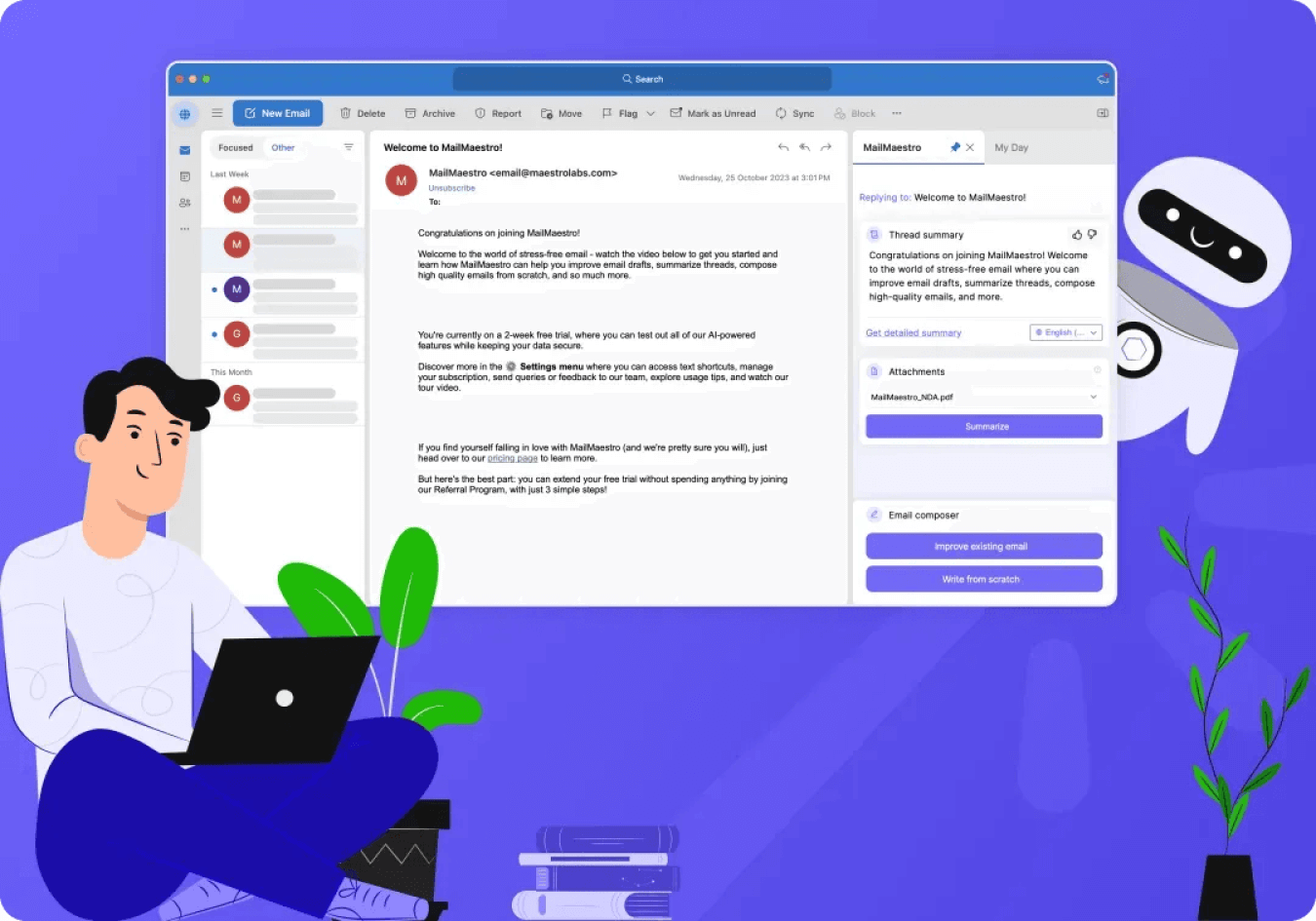
An AI email assistant for Outlook brings intelligence and automation to your inbox. Instead of relying purely on manual rules or filters, this assistant learns how you work and helps you manage messages with less friction.
Smart Prioritization
The assistant evaluates sender history, thread relevance and message intent to bring the right emails to the top. What you need to see first appears first.
Drafting Aid
Often you are composing similar messages dozens of times, meeting times, acknowledgments, follow ups. AI can generate draft replies based on your style, cutting down repetitive work.
Action Tracking
When an email references a deliverable or decision, the assistant flags or turns it into a reminder or calendar event. No more lost commitments in long chains.
Thread Summarization
Long conversations are condensed into key points so you understand the context quickly and act accordingly, without reading every reply.
Seamless Integration
Since it works inside your Outlook environment, you avoid seamlessly switching apps. Your workflow stays familiar while the assistant operates in the background.
Why Businesses Are Adopting Outlook AI Assistants
Organizations are recognizing the ROI of smarter inbox management. When email becomes efficient instead of burdensome, teams act faster and collaborate more effectively.
Some benefits include:
- Faster response times and fewer delays in communication.
- Fewer tasks lost in email chains and clearer accountability.
- Less mental clutter for employees and fewer interruptions to focus work.
- Improved onboarding and scaling since best practices in message handling are baked into the tool rather than manual.
When used across teams the cumulative effect is higher productivity, less wasted effort and a better experience for both internal and external stakeholders.
What to Look for in an Outlook Compatible AI Assistant
Choosing the right AI assistant involves more than feature lists. Here are key criteria to evaluate:
- Native Outlook compatibility so it works inside the environment you already use.
- Contextual intelligence rather than rigid rules, ability to learn your habits and preferences.
- Invitation to streamline workflows not add complexity, minimal setup, no huge learning curve.
- Strong data and privacy safeguards, email is sensitive and trust is essential.
- Real world results from users across teams, not just single user experiments.
Looking Ahead
Email will not disappear. But how professionals manage messages is evolving rapidly. With AI assistants in Outlook, the shift is from manually sorting and drafting to automatically organizing and enabling action.
In the future, these assistants will not only manage email but anticipate needs, suggest replies, schedule meetings, highlight deadlines before they slip through. The inbox will move from being a source of work to being a source of insight and productivity.
If you find your Outlook inbox increasingly overwhelming, the right AI assistant may be the shift you need. It is not about replacing how you work, it is about enabling you to work smarter.